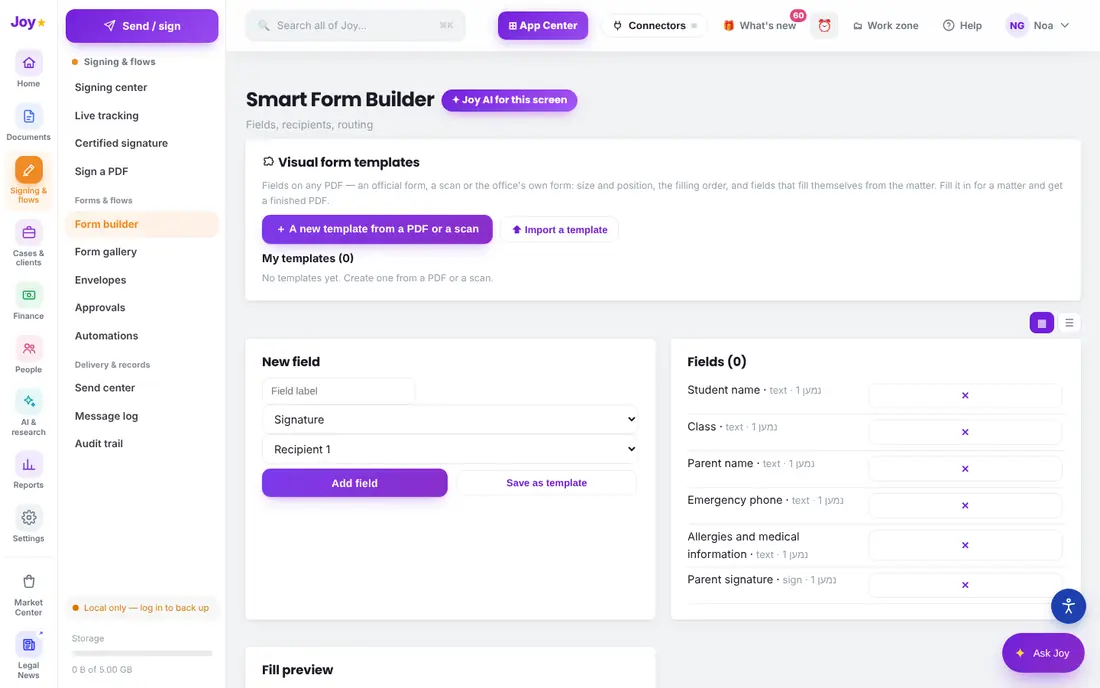
In education mode a "client" becomes a "student". Build a form — trip consent, medical information, club registration — send parents a link, and the parent fills it in and signs from a phone.
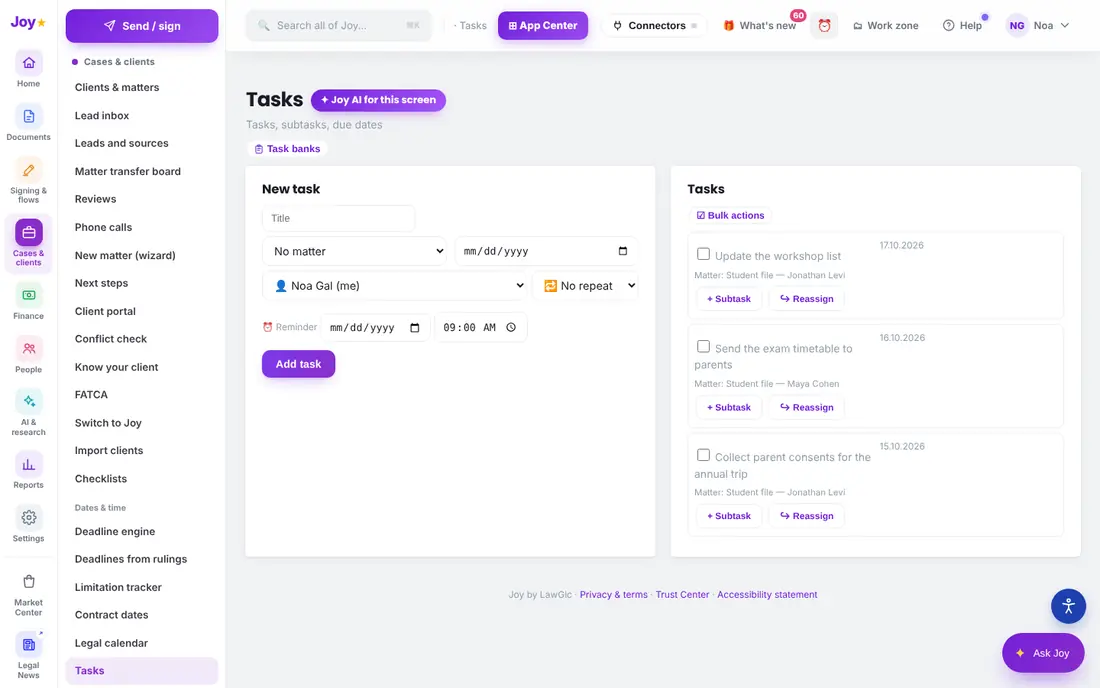
Every signed form is kept in the student file, and a task with a due date reminds you who has not replied.
A form builder with a parent signature
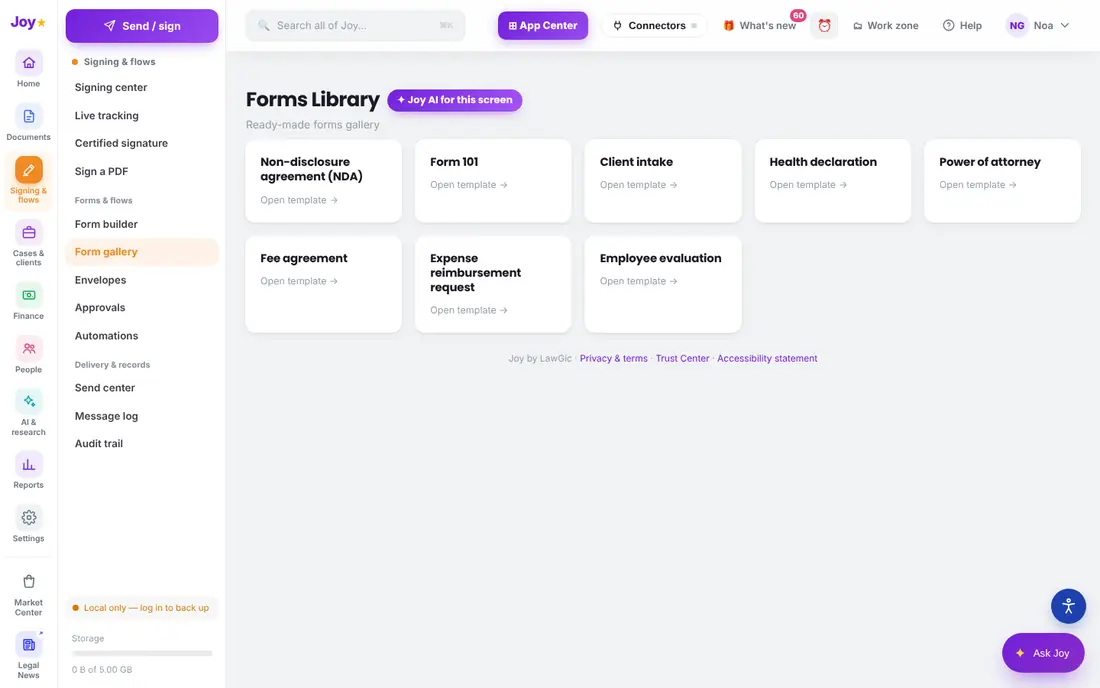
A bank of ready forms
A student file
Tasks with due dates
What it looks like in Joy, in education mode
1The form builder: parent consent for the annual trip, with the parent’s signature
2A bank of ready forms
3Tasks with due dates, linked to the student file
Captured from Joy itself, in the field’s mode, with demo data — no real client data appears.
What you get
A form builder with a parent signature
A bank of ready forms
A student file
Tasks with due dates
A link for parents — no user and nothing to install
At the launch offer, ₪39.99 per user per month before VAT (₪47.19 including VAT); the first month is free, and the price is locked for 12 months for everyone who joins by 31 January 2027. Every module is included.
What is "education mode"?
One choice in the settings: the words on screen and the order of the menu adapt to the field. The data itself does not change, and you can switch modes at any time.
Do parents need a user?
No. The parent opens a link, fills it in and signs. Only the staff working in Joy take seats.
What about students’ medical information?
It is sensitive information. Collect only what the activity needs, limit who can see it, and delete it when it is no longer needed — under the Privacy Protection Law, 1981, and the guidelines that apply to the institution.
This page is general information, not legal advice. Every rule is given with its official source; anything marked "to verify" must be checked against the current wording. Last updated: 15 October 2026.