Most of the time in report season is not spent calculating — it is spent waiting for documents. A fixed process per client turns the chase into a list that fills itself.
Five steps
- A list per client typeAn employee with other income, a self-employed client, a company — each type has its own list.
- One questionnaire with uploadsSend the client a questionnaire link: they tick what applies and upload the files straight to the file.
- Automatic remindersWhoever has not finished gets a reminder, and you see who is still missing.
- Review and questionsGo through what arrived and send a focused question, in the same file.
- A signature at the endReport ready? Send it for digital signature and keep the signed copy in the file.
A sample list for an employed client
- Form 106 from every employer in the tax year
- Annual certificates from banks and brokers
- Certificates of pension and insurance deposits
- Donation receipts
- Documents on foreign income, if any
The list is an example. What is actually required depends on the client and on the Tax Authority’s instructions for the year — check the current guidance. to verify
How to do it in Joy
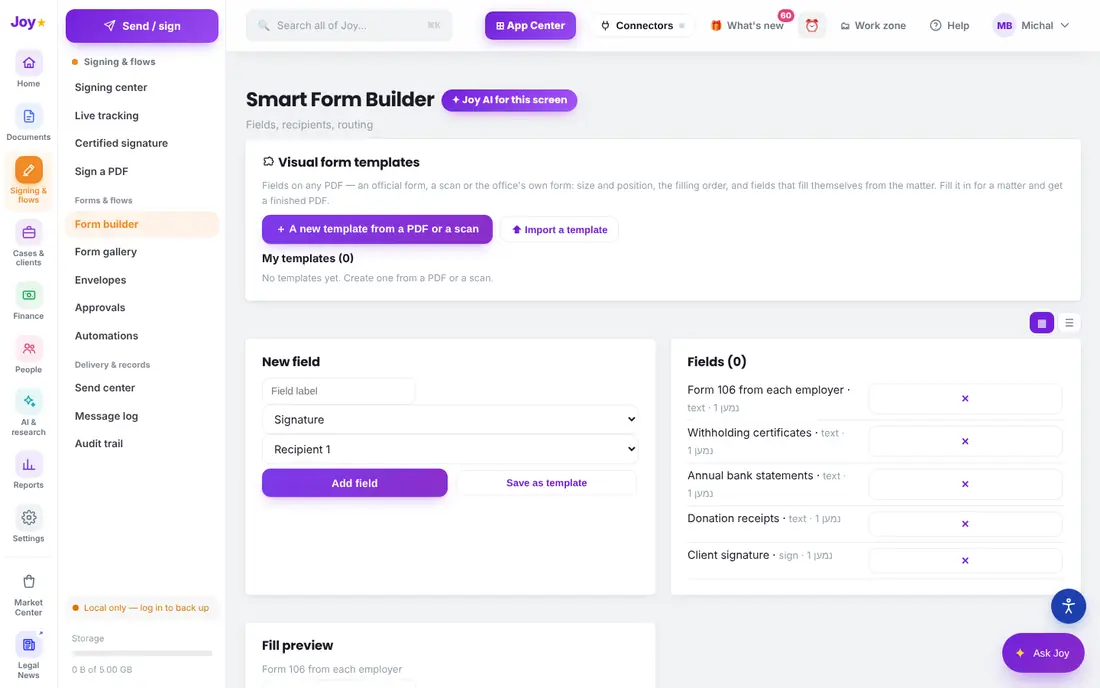
Build a "documents for the annual report" questionnaire in the form builder with fields and uploads, send it to every client, and the answers go into each client’s card. Tasks and reminders by date, and everything stays in the client’s file.
This page is general information, not legal advice. Every rule is given with its official source; anything marked "to verify" must be checked against the current wording. Last updated: 15 October 2026.